
Free Practice Questions for the IT Specialist Information Technology Specialist INF-306 Exam (2026 Updated)
At Marks4sure, we are dedicated to providing IT professionals with the most accurate and reliable preparation materials for the IT Specialist INF-306 exam. To support your certification journey, we have made a selection of our premium 2026 Information Technology Specialist practice questions and answers available completely free. You can take this practice test as many times as you need. Every question includes a detailed, expertly verified explanation to ensure you fully grasp the core security concepts before test day.
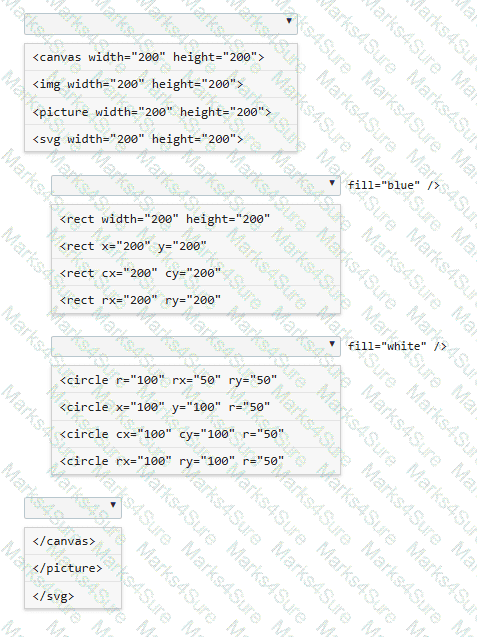
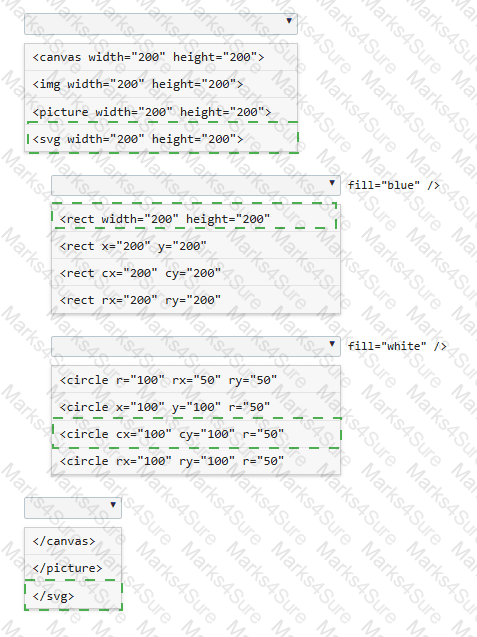
You need to draw a blue rectangle that meets these conditions:
• It is 200 by 200 pixels.
• It contains a white circle that is centered within the rectangle.
• The circle has a 50-pixel radius.
• The image should appear as follows: a blue square with a centered white circle.
Refer to the image on the left.
You need to ensure that the image scales without distortion when the page is resized. You must not be required to use JavaScript.
Complete the code by selecting the correct option from each drop-down list.
Note: You will receive partial credit for each correct selection.
Which two application features should you implement by using session storage? Choose 2.
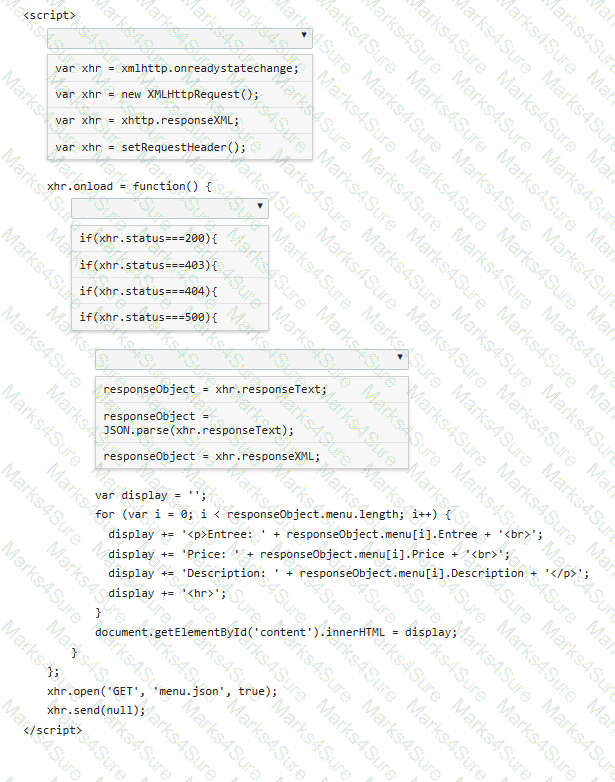
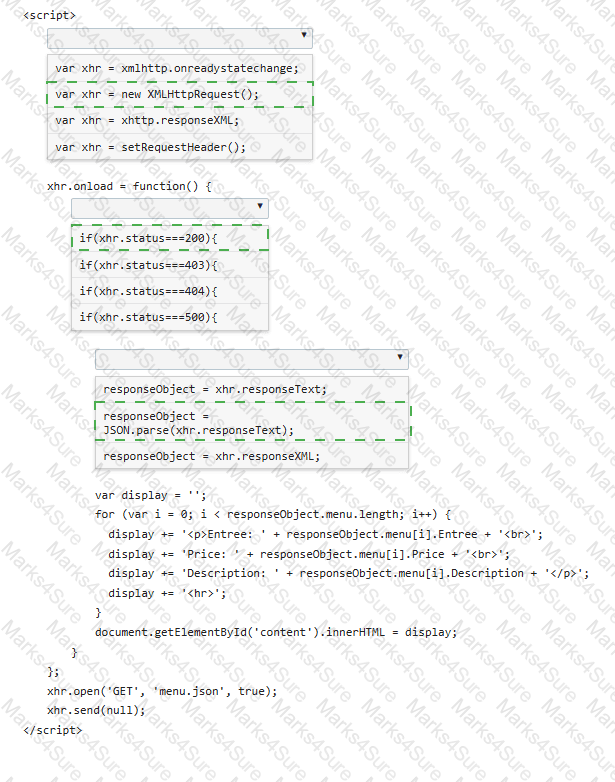
You are creating a script that reads a JSON menu file and displays the Entree, Price, and Description.
Complete the code by selecting the correct option from each drop-down list.
Note: You will receive partial credit for each correct selection.
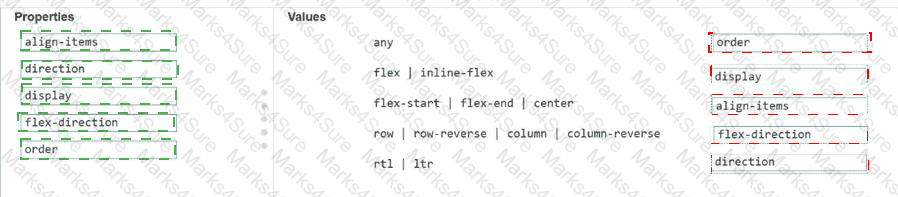
Which two background graphics will automatically adjust to different screen sizes? Choose 2.
Note: You will receive partial credit for each correct selection.
You create an interface for a touch-enabled application. You discover that some of the input buttons do not trigger when you tap them on the screen. You need to identify the cause of the problem. What are two possible causes? Choose 2.
You write the following markup to create a page. Line numbers are included for reference only.
01 < !DOCTYPE html >
02 < html >
03 < head >
04 < style >
05
10 < /style >
11 < /head >
12 < body >
13 < svg height= " 500 " width= " 500 " >
14 < defs >
15 < filter id= " f2 " x= " 0 " y= " 0 " width= " 200% " height= " 200% " >
16 < feOffset result= " offOut " in= " SourceGraphic " dx= " 20 " dy= " 20 " / >
17 < feGaussianBlur result= " blurOut " in= " offOut " stdDeviation= " 10 " / >
18 < feBlend in= " SourceGraphic " in2= " blurOut " mode= " normal " / >
19 < /filter >
20 < /defs >
21 < text x= " 10 " y= " 100 " style= " fill:red; " > Blur Me! < /text >
22 Sorry, your browser does not support inline SVG.
23 < /svg >
24 < /body >
25 < /html >
An SVG blur filter is defined in the markup on the left. You need to apply the SVG blur filter to the text element on the page.
Which CSS code should you insert at line 05?
The following two images show a web page that uses a responsive layout displayed on a mobile device and on a PC.
Displayed on a mobile device:
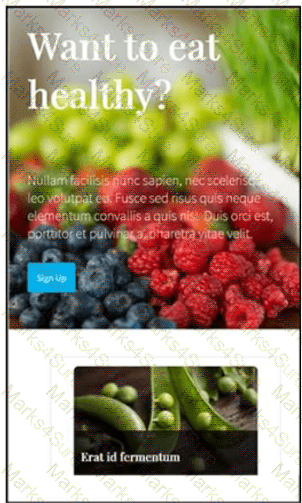
The layout stacks the content vertically.
Displayed on a computer monitor:
The layout displays the content cards horizontally in multiple columns.
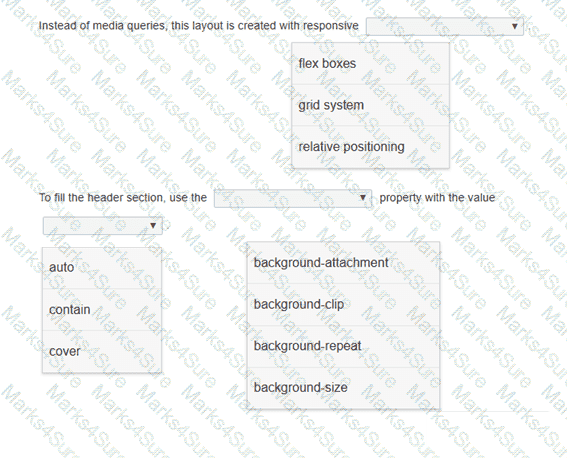
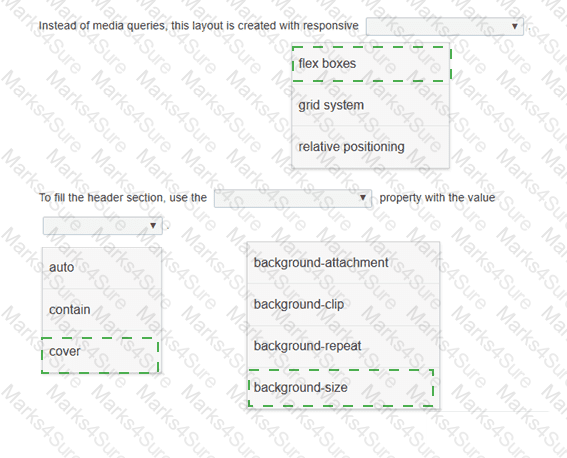
Review the images on the left.
Complete the statements by selecting the correct option from each drop-down list.
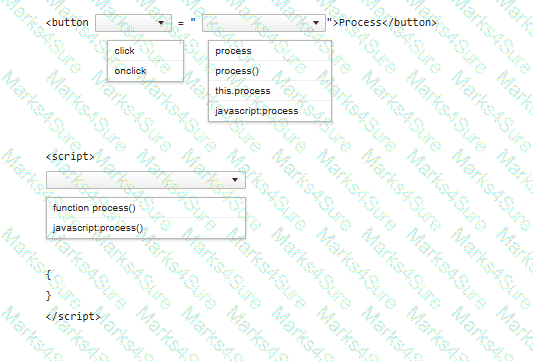
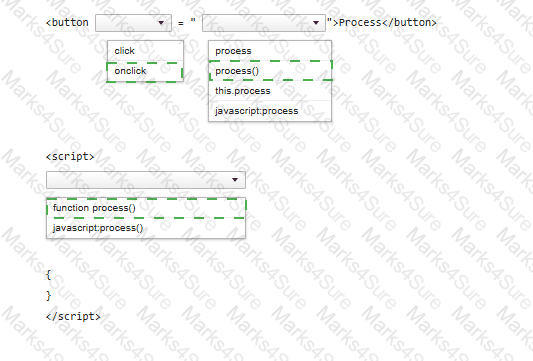
You need to call a function named process when a user clicks a button.
Complete the code by selecting the correct option from each drop-down list.
Note: You will receive partial credit for each correct selection.
Review the following markup segment:
< form action= " process.js " method= " get " >
< label for= " secretcode " > Secret Code < /label >
< input type= " text " name= " secretcode "
pattern= " [a-zA-Z]{4}-[0-9] {2}-[0-9]{4}-[a-zA-Z] {4} "
placeholder= " secretcode " >
< input type= " submit " value= " Submit " >
< /form >
Which entry will validate successfully according to the required pattern?
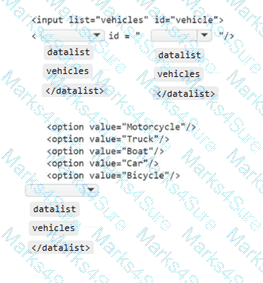
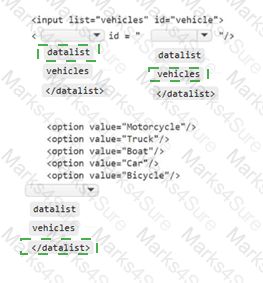
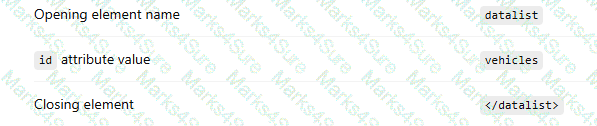
You need to display the following user interface:
A text input field that displays a selectable suggestion list containing:
Motorcycle
Truck
Boat
Car
Bicycle
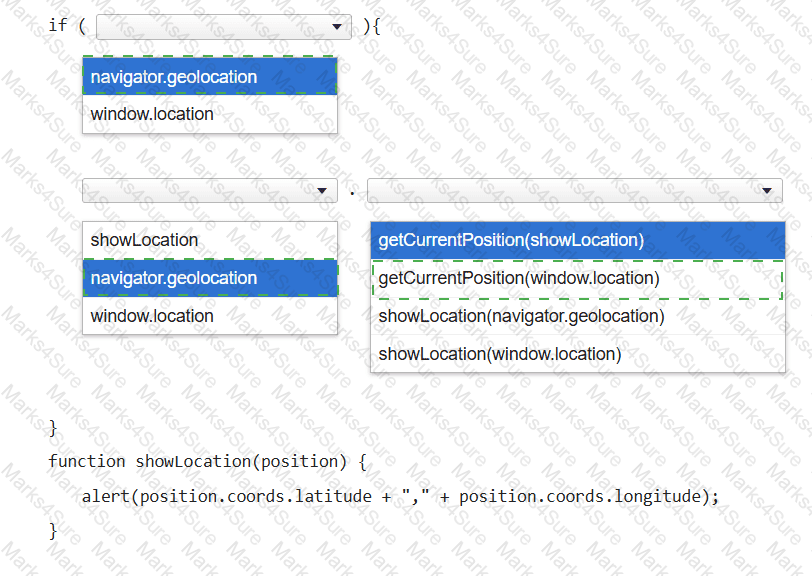
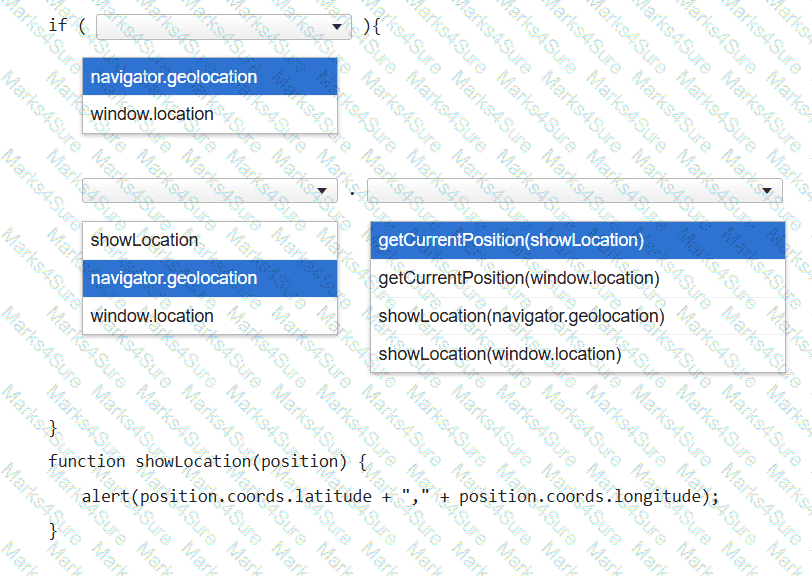
You want to display a message box showing the user ' s current latitude and longitude as identified by the user’s browser.
Complete the code by selecting the correct option from each drop-down list.
Note: You will receive partial credit for each correct selection.
You write the following JavaScript code. Line numbers are included for reference only.
01 < script >
02
03 beststudent = new Student( " David " , " Hamilton " );
04 document.write(beststudent.fullname + " is registered. " );
05 < /script >
You need to write a function that will initialize and encapsulate the member variable fullname.
Which code fragment could you insert at line 02 to achieve this goal?
Note: Each correct answer presents a complete solution.
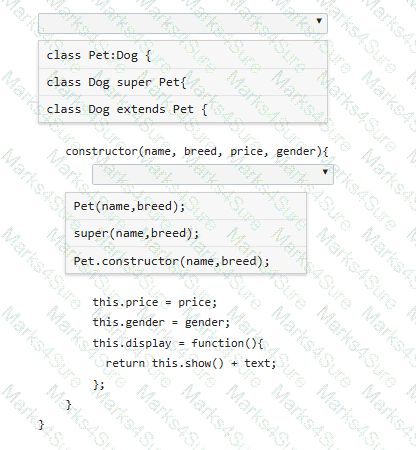
You define the Pet class as follows:
class Pet {
constructor(name, breed) {
this.name = name;
this.breed = breed;
this.show = function() {
var text = " < p > Your pet ' s name is " + name + " . The pet ' s breed is " + breed + " . < /p > " ;
return text;
};
}
}
You need to derive a Dog class from the Pet class.
Complete the code by selecting the correct option from each drop-down list.
Note: You will receive partial credit for each correct selection.
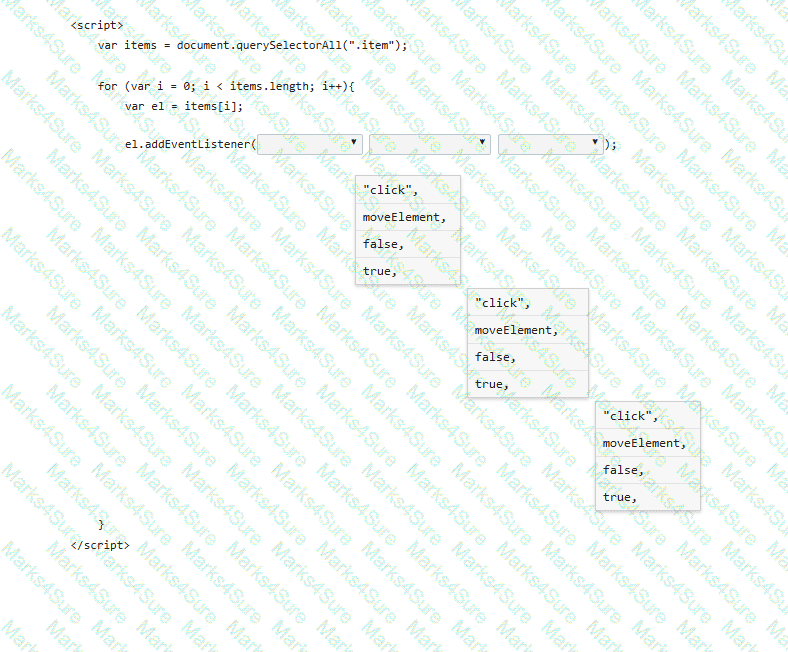
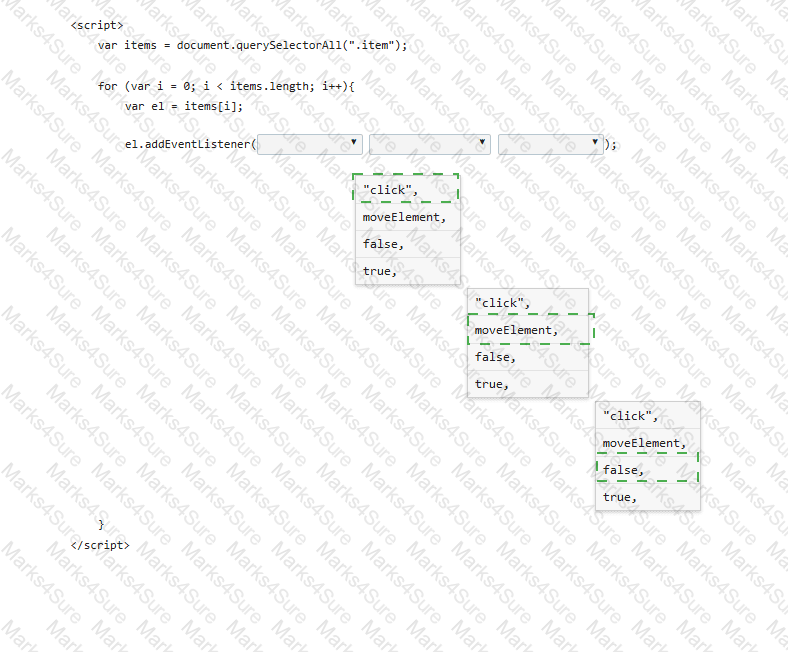
A form has four buttons with a class of item. You need to apply an event listener to all buttons to invoke the moveElement function when a button is pressed. Your code must ensure bubble capture.
Complete the markup by selecting the correct option from each drop-down list.
Note: You will receive partial credit for each correct selection.
PDF + Testing Engine

Testing Engine
PDF (Q&A)
