Free Practice Questions for the Microsoft 365 Certified: Endpoint Administrator Associate MD-102 Exam (2026 Updated)
At Marks4sure, we are dedicated to providing IT professionals with the most accurate and reliable preparation materials for the Microsoft MD-102 exam. To support your certification journey, we have made a selection of our premium 2026 Microsoft 365 Certified: Endpoint Administrator Associate practice questions and answers available completely free. You can take this practice test as many times as you need. Every question includes a detailed, expertly verified explanation to ensure you fully grasp the core security concepts before test day.
You have a Microsoft 365 subscription that contains a user named User1 and uses Microsoft Intune Suite.
You use Microsoft Intune to manage devices that run Windows 11.
User1 provides remote support for 75 devices in the marketing department.
You need to add User1 to the Remote Desktop Users group on each marketing department device.
What should you configure?
You have a Microsoft 365 E5 subscription.
You have a Microsoft Intune enrollment profile for Android Enterprise devices that has the following settings:
• Name: Profile1
• Token type: Corporate-owned, fully managed
You need to enroll a new Android device in Intune by using Profile1. What should you use to enroll the device?
You plan to deploy Windows 11 Pro to 200 new computers by using the Microsoft Deployment Toolkit (MDT) and Windows Deployment Services (WDS).
The company has a Volume Licensing Agreement and uses a product key to activate Windows 11.
You need to ensure that the new computers will be configured to have the correct product key during the installation.
What should you configure?
You manage 1,000 computers that run Windows 10. All the computers are enrolled in Microsoft Intune. You manage the servicing channel settings of the computers by using Intune.
You need to review the servicing status of a computer.
What should you do?
Your network contains an on-premises Active Directory domain named contoso.com. The domain contains the users shown in the following table.

The domain syncs to a Microsoft Entra tenant named contoso.com as shown in the exhibit. (Click the Exhibit tab.)

User2 fails to authenticate to the Microsoft Entra tenant when signing in as user2@fabrikam.com.
You need to ensure that User2 can access the resources in Microsoft Entra ID.
Solution: From the on-premises Active Directory domain, you set the UPN suffix for User2 to @contosoxom. You instruct User2 to sign in as user2@contoso.com.
Does this meet the goal?
You have a Microsoft Entra tenant and the devices shown in the following table

Which devices can be Microsoft Entra joined, and which devices can be Microsoft Entra registered? To answer, select the appropriate options in the answer area.
NOTE: Each correct selection is worth one point.
You have a Microsoft Entra tenant named contoso.com that contains the dynamic membership groups shown in the following table.

You add devices to contoso.com as shown in the following table.

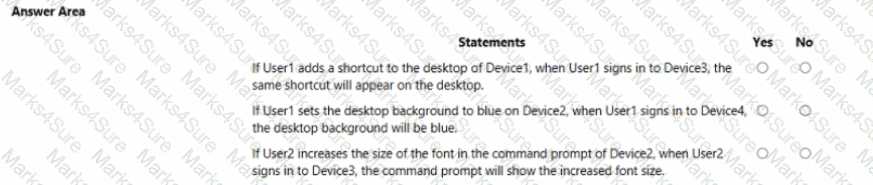
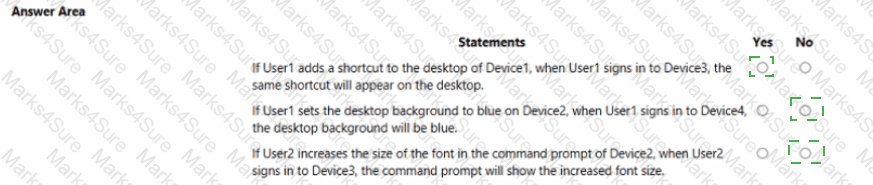
For each of the following statements, select Yes if the statement is true. Otherwise, select No. NOTE: Each correct selection is worth one point.
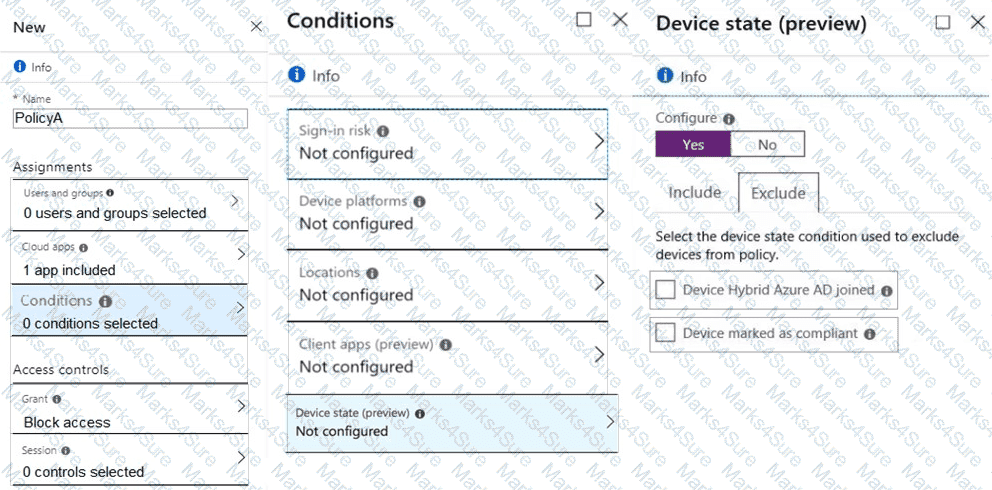
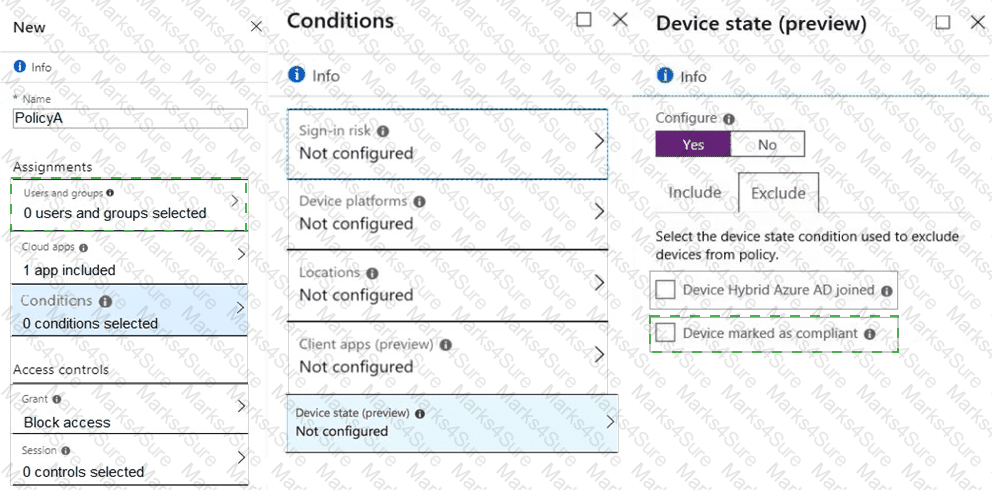
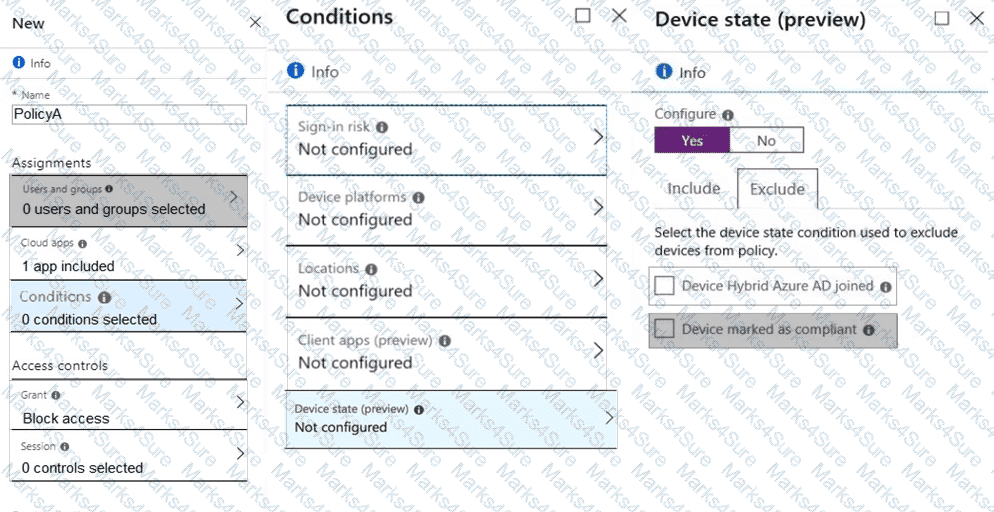
You have a Microsoft 365 E5 subscription. All devices are enrolled in Microsoft Intune.
You create a Conditional Access policy named Policy! that requires multifactor authentication (MFA).
You need to ensure that Policy1 only applies to devices marked as noncompliant. Which settings of Policy1 should you configure?
Your company uses Microsoft Intune.
More than 500 Android and iOS devices are enrolled in the Intune tenant.
You plan to deploy new Intune policies. Different policies will apply depending on the version of Android or iOS installed on the device.
You need to ensure that the policies can target the devices based on their version of Android or iOS.
What should you configure first?
You have computers that run Windows 10 and are managed by using Microsoft Intune.
Users store their files in a folder named D:\Folder1.
You need to ensure that only a trusted list of applications is granted write access to D:\Folder1.
What should you configure in the device configuration profile?
You have a Microsoft 365 subscription.
You have 25 Microsoft Surface Hub devices that you plan to manage by using Microsoft Intune.
You need to configure the devices to meet the following requirements:
• Enable Windows Hello for Business.
• Configure Microsoft Defender SmartScreen to block users from running unverified files.
Which profile type template should you use for each requirement? To answer, select the appropriate options in the answer area. NOTE: Each correct selection is worth one point.

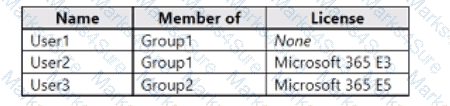
You have an Azure Active Directory Premium Plan 2 subscription that contains the users shown in the following table.

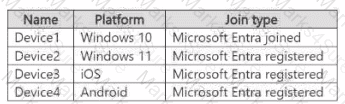
You purchase the devices shown in the following table.

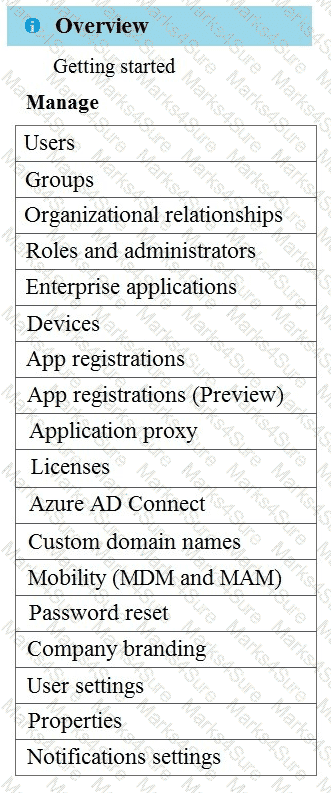
You configure automatic mobile device management (MDM) and mobile application management (MAM) enrollment by using the following settings:
• MDM user scope: Group1
• MAM user scope: Group2
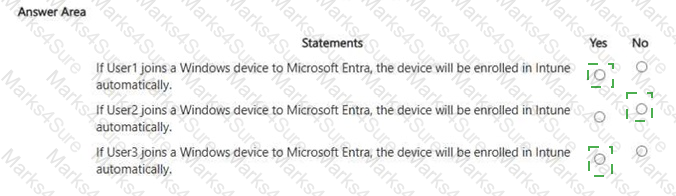
For each of the following statements, select Yes if the statement is true. Otherwise, select No. NOTE: Each correct selection is worth one point.

You have a Windows 10 device named Computer1 enrolled in Microsoft Intune.
You need to configure Computer1 as a public workstation that will run a single customer-facing, full-screen application.
Which configuration profile type template should you use in Microsoft Intune admin center?
You have a Microsoft 365 E5 subscription. You purchase the following types of devices:
• Windows
• Android
• iOS
You plan to enroll the devices in Microsoft Intune. You need to configure enrollment restrictions.
For which device types can you configure device manufacturer restrictions?
You have a Microsoft 365 subscription.
You need provide a user the ability to disable Security defaults and principle of least privilege.
Which role should you assign to the user?
You have an Azure Active Directory (Azure AD) tenant that contains the users shown in the following table.

You have devices enrolled in Microsoft Intune as shown in the following table.

From Intune, you create and send a custom notification named Notification1 to Group1.
For each of the following statements, select Yes if the statement is true. Otherwise, select No.
NOTE: Each correct selection is worth one point.
Note: This section contains one or more sets of questions with the same scenario and problem. Each question presents a unique solution to the problem. You must determine whether the solution meets the stated goals. More than one solution in the set might solve the problem. It is also possible that none of the solutions in the set solve the problem.
After you answer a question in this section, you will NOT be able to return. As a result, these questions do not appear on the Review Screen.
You have a Microsoft 365 E5 subscription. The subscription contains devices that are Microsoft Entra joined and enrolled in Microsoft Intune.
You create a user named User1.
You need to ensure that User1 can rotate BitLocker recovery keys by using Intune.
Solution: From the Microsoft Entra admin center, you assign the Cloud Device Administrator role to User1.
Does this meet the goal?
You have a Microsoft 365 E5 subscription that uses Microsoft Intune. Vou configure Intune to send log data to Log Analytics. You need to review events involving devices that fail to enroll in Intune. What should you monitor?
You have a Microsoft 365 subscription.
You have 10 computers that run Windows 10 and are enrolled in mobile device management (MDM).
You need to deploy the Microsoft 36S Apps for enterprise suite to all the computers.
What should you do?
You have a Microsoft 365 subscription that contains two security groups named Group1 and Group2. Microsoft 365 uses Microsoft Intune Suite.
You use Microsoft Intune to manage devices.
You need to assign roles in Intune to meet the following requirements:
• The members of Group1 must manage Intune roles and assignments.
• The members of Group2 must assign existing apps and policies to users and devices.
The solution must follow the principle of least privilege.
Which role should you assign to each group? To answer, select the appropriate options in the answer area.
NOTE: Each correct selection is worth one point.
Your network contains an Active Directory domain. Active Directory is synced with Microsoft Azure Active Directory (Azure AD).
There are 500 Active Directory domain-joined computers that run Windows 10 and are enrolled in Microsoft Intune.
You plan to implement Microsoft Defender Exploit Guard.
You need to create a custom Microsoft Defender Exploit Guard policy, and then distribute the policy to all the computers.
What should you do? To answer, select the appropriate options in the answer area.
NOTE: Each correct selection is worth one point.

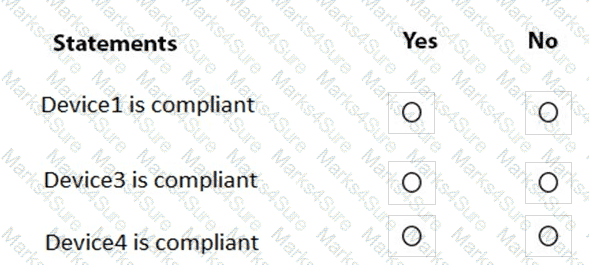
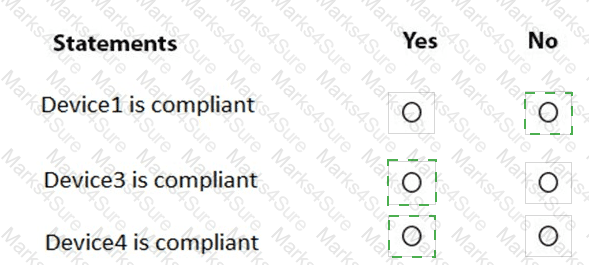
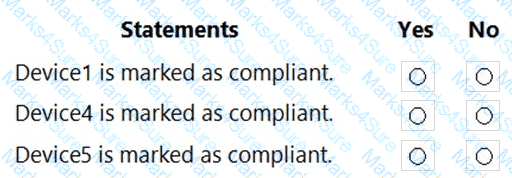
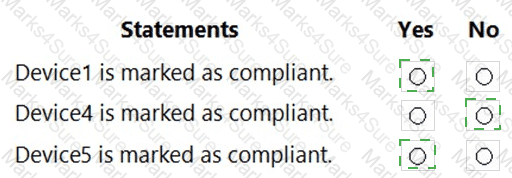
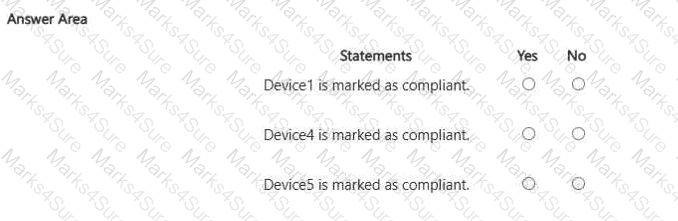
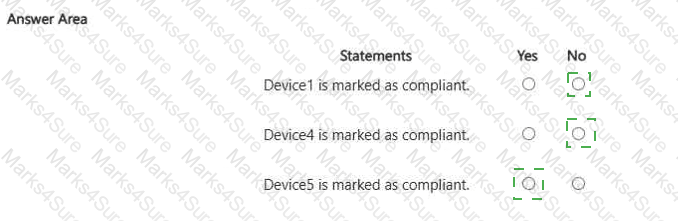
You are evaluating which devices are compliant.
For each of the following statements, select Yes if the statement is true. Otherwise, select No.
NOTE: Each correct selection is worth one point.

You have a Microsoft Entra tenant that contains the following:
• Windows 11 devices that are joined to Microsoft Entra
• A user that has a display name of User1 and a UPN of user1@contoso.com
You enable Remote Desktop on the Windows 11 devices.
You need to ensure that User1 can use Remote Desktop to connect to the devices.
How should you complete the command that must be run on each device? To answer, select the appropriate options in the answer area.
NOTE: Each correct selection is worth one point.

You need to meet the technical requirements for the iOS devices.
Which object should you create in Intune?
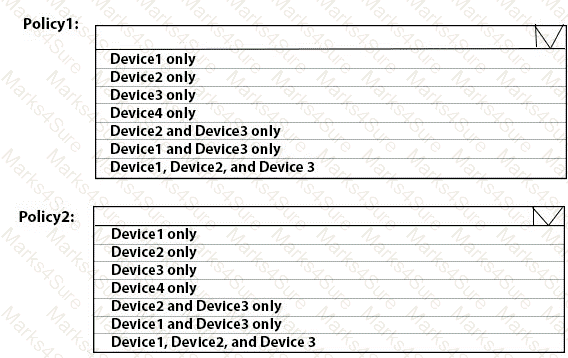
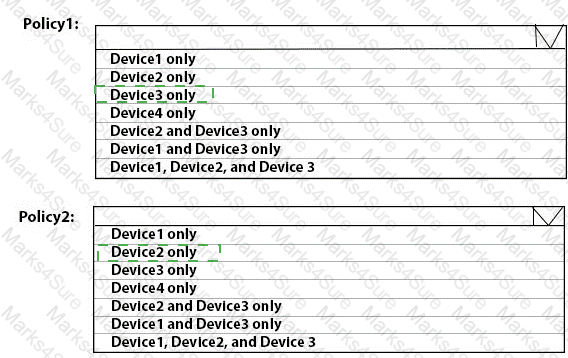
To which devices do Policy1 and Policy2 apply? To answer, select the appropriate options in the answer area.
NOTE: Each correct selection is worth one point.

You need to meet the technical requirements for the IT department.
What should you do first?
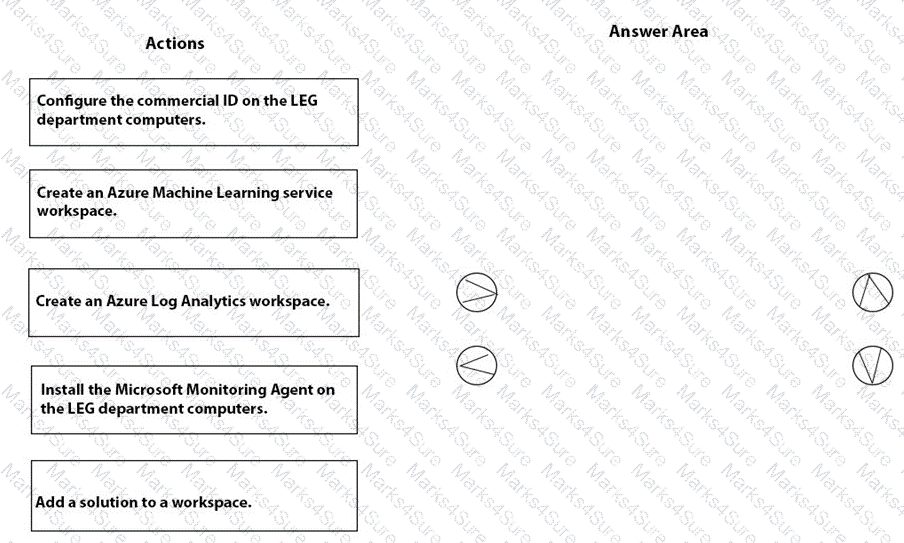
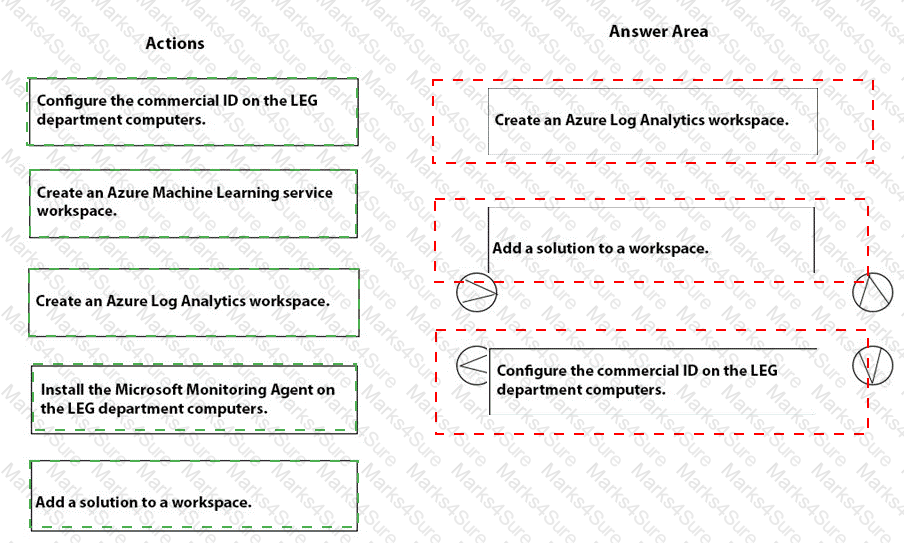
You need to meet the technical requirements for the LEG department computers.
Which three actions should you perform in sequence? To answer, move the appropriate actions from the list of actions to the answer area and arrange them in the correct order.

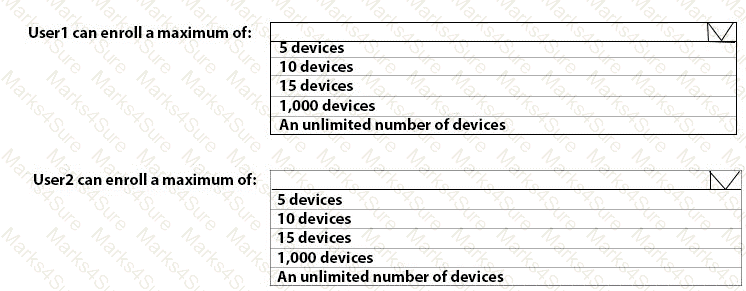
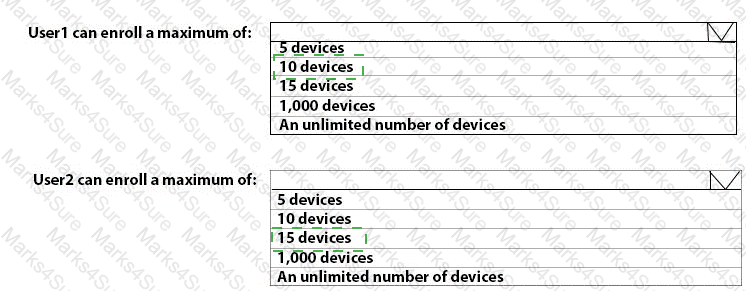
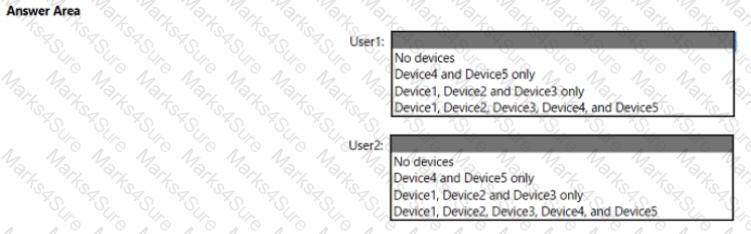
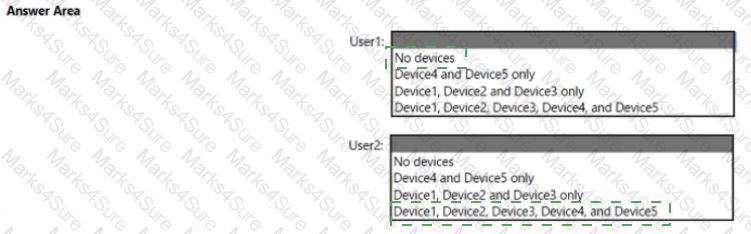
What is the maximum number of devices that User1 and User2 can enroll in Intune? To answer, select the appropriate options in the answer area.
NOTE: Each correct selection is worth one point.

You need to prepare for the deployment of the Phoenix office computers.
What should you do first?
You need a new conditional access policy that has an assignment for Office 365 Exchange Online.
You need to configure the policy to meet the technical requirements for Group4.
Which two settings should you configure in the policy? To answer, select the appropriate settings in the answer area.
NOTE: Each correct selection is worth one point.

You need to prepare for the deployment of the Phoenix office computers.
What should you do first?
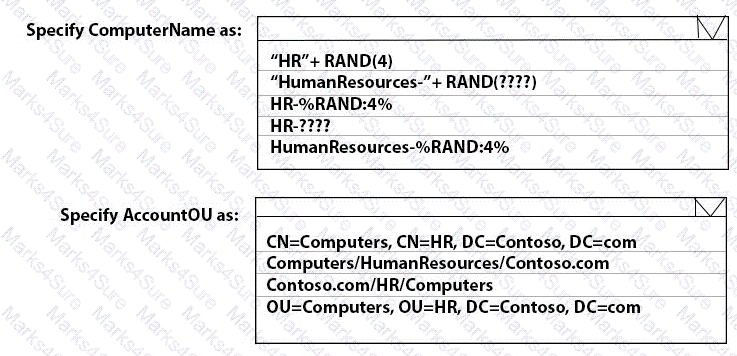
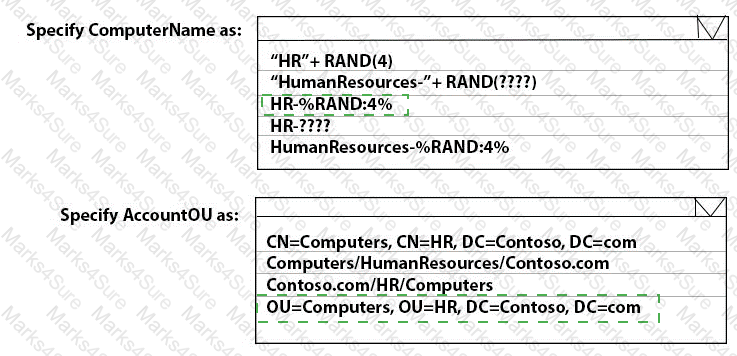
You need to meet the technical requirements for the new HR department computers.
How should you configure the provisioning package? To answer, select the appropriate options in the answer area.
NOTE: Each correct selection is worth one point.

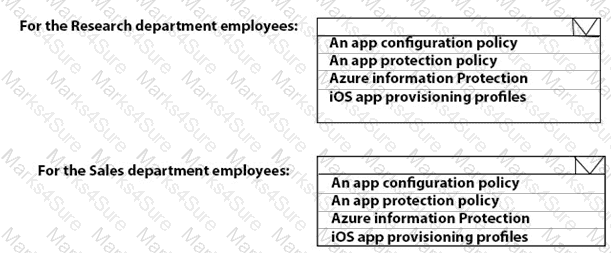
You need to meet the requirements for the MKG department users.
What should you do?
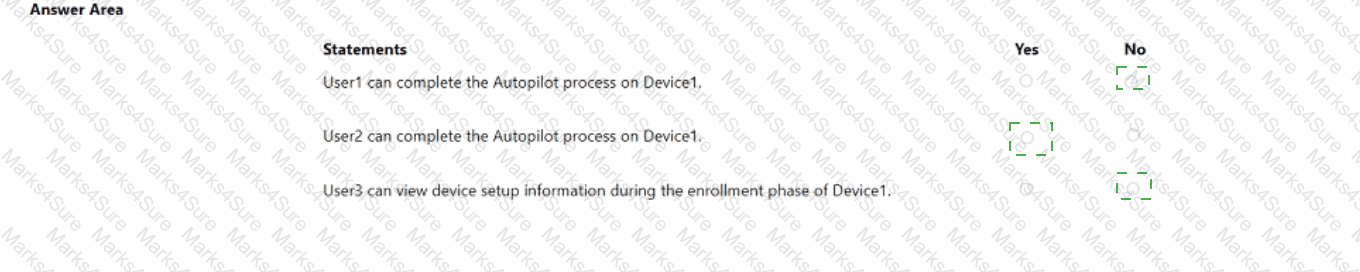
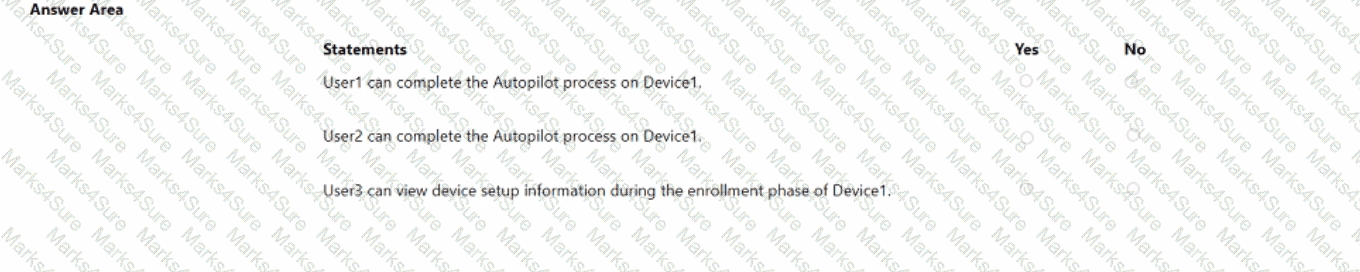
Which devices are registered by using the Windows Autopilot deployment service?
For each of the following statements, select Yes if the statement is true. Otherwise, select No. NOTE: Each correct selection is worth one point.
You implement the planned changes for Connection1 and Connection2
How many VPN connections will there be for User1 when the user signs in to Device 1 and Devke2? To answer select the appropriate options in the answer area.
NOTE; Each correct selection is worth one point.

User1 and User2 plan to use Sync your settings.
On which devices can the users use Sync your settings? To answer, select the appropriate options in the answer area.
NOTE: Each correct selection is worth one point.


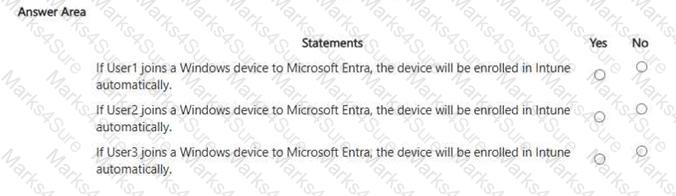
For each of the following statements, select Yes if the statement is true. Otherwise, select No.
NOTE: Each correct selection is worth one point.

You implement Boundary1 based on the planned changes.
Which devices have a network boundary of 192.168.1.0/24 applied?
You need to ensure that computer objects can be created as part of the Windows Autopilot deployment. The solution must meet the technical requirements.
To what should you grant the right to create the computer objects?
What should you upgrade before you can configure the environment to support co-management?
For each of the following statements, select Yes if the statement is true. Otherwise, select No.
NOTE: Each correct selection is worth one point.

You need to recommend a solution to meet the device management requirements.
What should you include in the recommendation? To answer, select the appropriate options in the answer area.
NOTE: Each correct selection is worth one point.

You need to meet the technical requirements for Windows AutoPilot.
Which two settings should you configure from the Azure Active Directory blade? To answer, select the appropriate settings in the answer area.
NOTE: Each correct selection is worth one point.

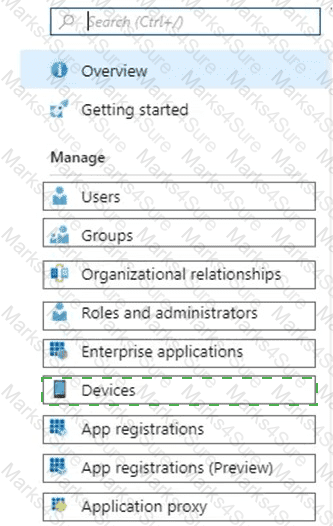
What should you configure to meet the technical requirements for the Azure AD-joined computers?
You need to meet the device management requirements for the developers.
What should you implement?
You need to capture the required information for the sales department computers to meet the technical
requirements.
Which Windows PowerShell command should you run first?
You need to meet the OOBE requirements for Windows AutoPilot.
Which two settings should you configure from the Azure Active Directory blade? To answer, select the appropriate settings in the answer area.
NOTE: Each correct selection is worth one point.

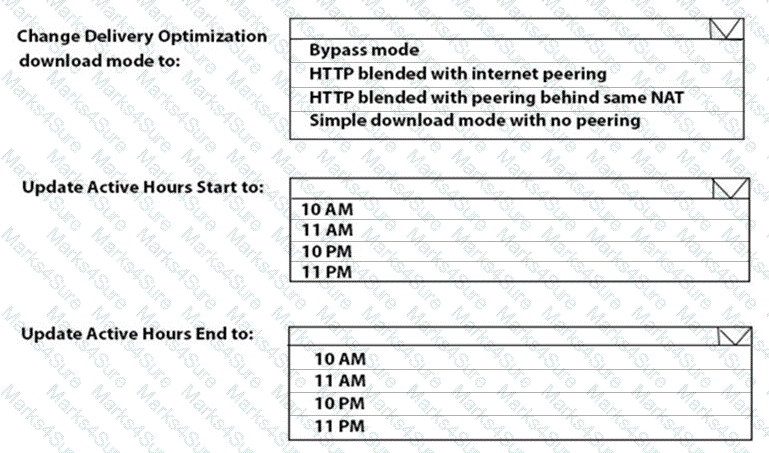
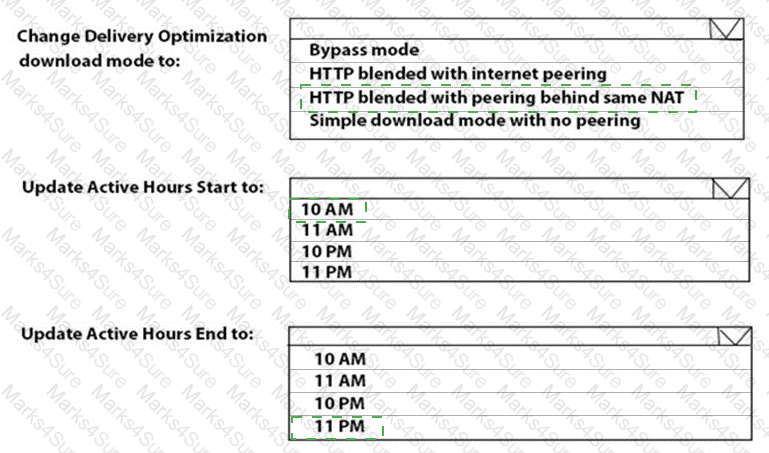
You need to resolve the performance issues in the Los Angeles office.
How should you configure the update settings? To answer, select the appropriate options in the answer area.
NOTE: Each correct selection is worth one point.

-
You have a Microsoft 365 subscription that contains the devices shown in the following table.
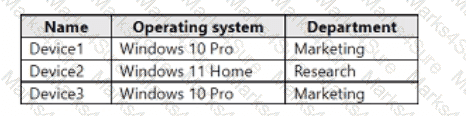
You need to configure the Microsoft Edge settings for each device.
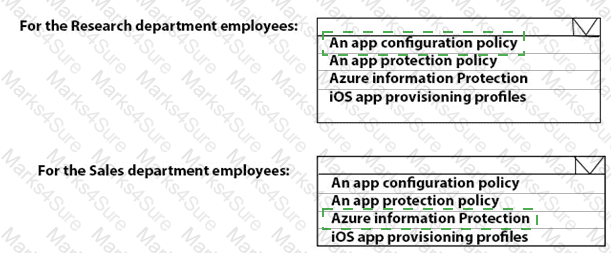
What should you use? To answer, drag the appropriate Intune features to the correct devices. Each feature may be used once, more than once, or not at all. You may need to drag the split bar between panes or scroll to view content.
NOTE: Each correct selection is worth one point.
Your network contains an Active Directory domain.
You install the Microsoft Deployment Toolkit (MDT) on a server.
You have a custom image of Windows 11.
You need to deploy the image to 100 devices by using MDT.
Which three actions should you perform in sequence? To answer, move answer area and arrange them in the correct order.

You have computers that run Windows 11 Pro. The computers are joined to Azure AD and enrolled in Microsoft Intune. You need to upgrade the computers to Windows 11 Enterprise. What should you configure in Intune?
Your company has a Microsoft 365 subscription.
All the users in the finance department own personal devices that run iOS or Android. All the devices are enrolled in Microsoft Intune.
The finance department adds new users each month.
The company develops a mobile application named App1 for the finance department users.
You need to ensure that only the finance department users can download Appl.
What should you do first?
You have a Microsoft 365 subscription that uses Microsoft Intune.
You have five new Windows 11 Pro devices.
You need to prepare the devices for corporate use. The solution must meet the following requirements:
• Install Windows 11 Enterprise on each device.
• Install a Windows Installer (MSI) package named App1 on each device.
• Add a certificate named Certificate1 that is required by App1.
• Join each device to Azure AD.
Which three provisioning options can you use? Each correct answer presents a complete solution.
NOTE: Each correct selection is worth one point.